cxbet App — Android APK,
Install Without the Play Store
Version 2.5.3 · 58 MB · Android 6.0+ · Free. Tap the button, install in under three minutes, and bet on cricket or spin slots from anywhere in Bangladesh. Deposit starts at ৳150 via bKash, Nagad, Rocket or Upay.
Scan the QR code on the right to download directly to your phone. 18+ · Play Responsibly.
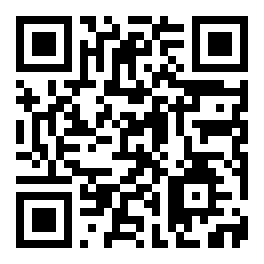
Scan to download
cxbet.apk
Before You Install: Security & App Permissions
The cxbet App is distributed as an APK because Google Play does not list real-money betting apps. Here is exactly what the app asks for and why.
File Source
The APK at /download/cxbet.apk is the only official file. It is served over HTTPS directly from cxbet.today. Do not download from third-party mirror sites or Telegram groups. Verify the domain in your browser's address bar before tapping Download. A wrong file can carry malware that your bank app or bKash wallet may detect.
"Unknown Sources" Permission
Android blocks APK installs by default to protect users. When you tap the downloaded file, Android will ask you to allow your browser or file manager to install apps. Grant permission only for that one session. After installation you can turn the setting off again. The path is Settings → Apps → [your browser] → Install unknown apps → Allow. On Android 7 and below: Settings → Security → Unknown Sources.
Runtime Permissions Requested
The cxbet App requests three runtime permissions: Camera (for KYC document scan during account verification), Storage (to save transaction receipts as images), and Notifications (for deposit confirmations and promotion alerts). None of these are required to browse games or place bets. You can deny all three and still use the app normally.
Data & Login Security
All traffic between the app and cxbet servers uses TLS 1.3 encryption. Your password is never stored in plain text on the device. The app does not share any personal data with advertising networks. If you lose your phone, change your cxbet password immediately via the browser login page at /cxbet-login/ and contact Live Chat to freeze the account while you recover the device.
App Version & System Requirements
Check these specs before you download. The app will not install on devices below Android 6.0, and performance on Android 6–7 may be slower than on Android 9+.
| App Name | cxbet |
|---|---|
| Version | 2.5.3 |
| File Name | cxbet.apk |
| File Size | 58 MB |
| Platform | Android |
| Min. Android Version | 6.0 (Marshmallow) |
| Last Updated | 9 November 2026 |
| Price | Free |
| Languages | English, Bangla |
| Developer | cxbet |
Get the App Now
Direct download — no account needed to get the file. You will need to register after installing to place your first bet.
Download cxbet APKAfter download, tap the .apk file in your notifications panel or Downloads folder to begin installation. See step-by-step guide below.
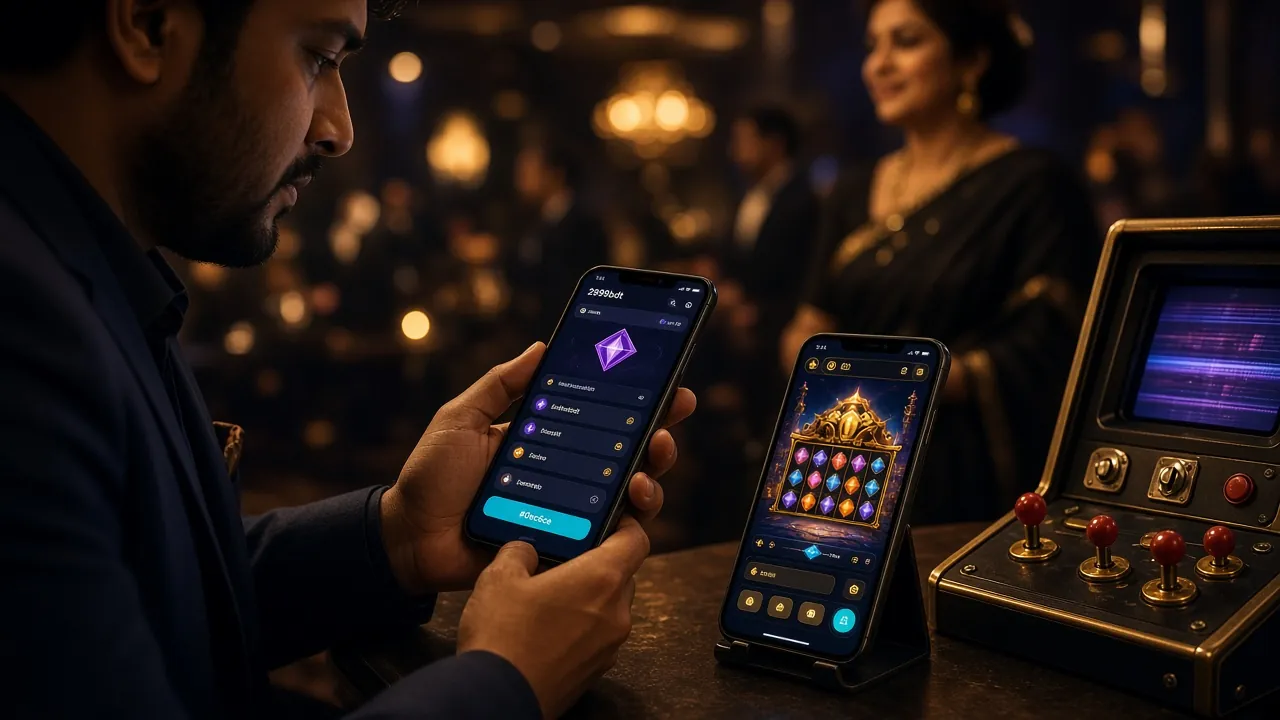
Match Night to Commute: What the cxbet App Covers
Every product on the cxbet platform is available in the app. These are the six areas players use most on mobile.
Cricket & Sports Betting
Follow BPL, IPL and T20 matches live. Place bets on 1X2, over/under and player prop markets while you watch. Odds update in real time. Cash out is available on selected live markets. Minimum bet from ৳150 deposit via bKash — no separate sports wallet needed.
Live Casino Tables
Ezugi and Playtech dealers stream in HD. Teen Patti and Deuces Wild run around the clock. The app handles 720p streams well on a standard 4G connection. If your connection drops, the app reconnects automatically and your open bet remains in place during the interruption.
Slots from Top Providers
Red Tiger's Nine, Habanero's Golden Land and Piggy Gold, KA Gaming's Prosperity Fortune Tree — over 6,000 games load directly in the app. Filter by provider or RTP. The app remembers your last five sessions and shows them in a quick-launch strip on the home screen.
Crash & Instant Games
Crash games let you cash out before the multiplier busts. The app gives you a slight edge over browser play: push notifications fire when a round starts, so you never miss your entry window. Minimum crash bet is ৳5. Set an auto-cashout multiplier so you don't have to watch the screen constantly.
Deposits & Withdrawals
bKash, Nagad, Rocket and Upay are all integrated in the app's cashier. Deposit from ৳150 — funds arrive in roughly 2 minutes. Withdrawals from ৳700 clear in about 32 minutes to your mobile wallet. You can initiate a withdrawal from the app even before KYC is complete, but payment is released only after verification.
24/7 Live Chat Support
Tap the support icon at any time to reach a live agent. Average response is under two minutes during peak hours. You can also upload screenshots of failed transactions directly from the chat window, which speeds up dispute resolution significantly compared to email-based support on most competing platforms.
App vs Browser: Which One to Use?
Both give you the full cxbet game library. The table below shows where the app pulls ahead and where the browser is still a solid choice — for example, when you're on a device that blocks APK installs.
| Feature | cxbet App | Browser (Mobile/Desktop) |
|---|---|---|
| Push notifications for odds & promos | Yes | No |
| Works offline (cached pages) | Limited | No |
| Fingerprint / Face ID login | Yes | No |
| Full game library access | Yes | Yes |
| bKash / Nagad deposits | Yes | Yes |
| Live stream quality | Up to 720p | Up to 480p (mobile) |
| Auto-reconnect on signal drop | Yes | Page reload required |
| Quick-launch recent games | Yes | No |
| iOS support | Add to Home Screen only | Full Safari support |
| Storage used on device | 58 MB installed | ~0 MB (browser cache) |
Already have an account? Log in directly and head to Settings → Download App to get the latest APK link from inside your account.
Android: Install in 5 Steps
The whole process takes under three minutes on a standard 4G connection. These steps work on Android 6.0 and above, including Samsung, Xiaomi, Realme, Vivo and Symphony handsets.
-
1
Allow "Install Unknown Apps" for Your Browser
Go to Settings → Apps → [Chrome or your browser] → Install unknown apps and toggle it on. On Android 7 and earlier, go to Settings → Security → Unknown Sources. This change applies only to your browser. It does not lower protection for other apps or your bKash account. You can disable this again after installation finishes.
-
2
Tap "Download APK" on This Page
The download button at the top of this page points to cxbet.apk (58 MB). The file saves to your Downloads folder. If your mobile data is slow, connect to Wi-Fi first — an interrupted download produces a corrupt APK that will not install. Your browser's notification panel shows the download progress bar.
-
3
Open the APK File
When the download completes, a notification appears at the top of your screen. Tap "Open" in that notification, or open your Files app, navigate to Downloads and tap cxbet.apk. Android will display a permissions screen listing what the app requests. Review it and tap "Install". The process takes about 20 seconds.
-
4
Wait for Installation to Complete
Android shows an "App installed" message when it finishes. Do not press the back button during installation — interrupting it corrupts the app files and you will need to uninstall and reinstall. If Google Play Protect shows a warning, tap "Install anyway". This warning appears for all APKs not listed on the Play Store; it is not specific to cxbet.
-
5
Log In or Register to Play
Tap "Open" on the installation screen. If you already have a cxbet account, enter your phone number and password. New users tap "Create Account" inside the app — the registration form is identical to the web version at /cxbet-register/. After logging in, go to Cashier, choose bKash or Nagad, and deposit from ৳150 to claim your welcome bonus.
iPhone / iOS: Add to Home Screen
Apple does not allow APK files. The best iOS option is to save the cxbet website as a shortcut. It behaves like an app icon and loads the full mobile site.
- Open Safari and go to cxbet.today.
- Tap the Share button (rectangle with an arrow).
- Scroll down in the share sheet and tap "Add to Home Screen".
- Name the shortcut cxbet and tap "Add".
- The icon now appears on your home screen. Tap it to go directly to the cxbet lobby in a full-screen Safari view.
All features — betting, deposits, withdrawals, live chat — work through this shortcut on iPhone. Push notifications are not available on iOS.

Slots Lobby
Red Tiger · Habanero

Live Tables
Ezugi · Playtech
If the Install Fails: Five Common Problems Fixed
Most install errors come down to one of five causes. Match your error message to the table below and follow the fix column before contacting support.
| Problem / Error | Most Likely Cause | How to Fix It |
|---|---|---|
| "Parse error" or "There is a problem parsing the package" | The APK file is corrupt — download was interrupted or storage ran out mid-download. | Delete the existing file from Downloads. Free up at least 120 MB of storage, then download again on a stable Wi-Fi connection. Do not open the file until the browser shows "Download complete". |
| "App not installed" after tapping Install | An older version of the cxbet App is already on the device, or the signed certificate has changed. | Uninstall the existing cxbet App first (Settings → Apps → cxbet → Uninstall), then install the new APK. Your account data is stored on the server, not the device, so you will not lose any balance or history. |
| Install button is greyed out / "Blocked by Play Protect" | "Install unknown apps" permission was not granted to the browser being used to download. | Go to Settings → Apps → [your browser] → Install unknown apps → Allow. Then tap the APK file again. If you downloaded via Chrome, the permission path is Settings → Apps → Chrome → Install unknown apps. |
| App installs but crashes on launch | Device runs Android 5.1 or below (not supported), or RAM is below 1 GB. | Check your Android version: Settings → About Phone → Android Version. If it is below 6.0, use the browser version at cxbet.today — the mobile website supports Android 5. If your version is 6.0+ and the app still crashes, clear the app cache (Settings → Apps → cxbet → Clear Cache) and relaunch. |
| Can log in but games won't load / blank screen | Device date and time are wrong, or a VPN is active that blocks the game server. | Set date and time to automatic: Settings → General Management → Date and Time → Automatic. If you are using a VPN, disable it — the cxbet game servers are accessible from Bangladesh without a VPN. If the problem continues, tap the support icon inside the app to reach live chat. |
Questions Players Ask About the cxbet App
Seven answers that cover the most common app questions from Bangladesh players.
Topics
Is the cxbet APK safe to install?
Yes, when you download from cxbet.today/download/cxbet.apk. The file is served over HTTPS and the app uses TLS 1.3 for all communication with the server. The APK does not contain any advertising SDK or data-harvesting libraries. The "unknown source" warning you see during installation is Android's standard notice for any file not from the Play Store — it is not a sign that the file is harmful. If you want extra assurance, you can scan the downloaded file with a reputable antivirus app before opening it.
How do I update the cxbet App to the latest version?
The app checks for updates each time you open it. When a new version is available, a banner appears on the home screen with a one-tap "Update Now" button that opens the download link. You can also visit this page at any time and download the latest APK manually — the current version is always listed in the system requirements table above. Install the new APK over the existing one; you do not need to uninstall first unless you see a certificate mismatch error.
Is there a cxbet App for iPhone?
There is no native iOS app because Apple does not allow real-money betting APKs on the App Store. The best alternative for iPhone users is to open cxbet.today in Safari and tap Share → Add to Home Screen. This creates a shortcut icon on your home screen that opens the site in a full-screen view without browser chrome. All features work: betting, bKash deposits, withdrawals, live casino and live chat. Push notifications are not available via this method on iOS.
Can I claim the welcome bonus through the app?
Yes. Bonuses are tied to your account, not the platform you use. If you register through the app and make your first deposit of ৳150 or more via bKash or Nagad, the 240% welcome bonus (up to ৳21,500) is credited automatically. The 7× wagering requirement applies. You can track your bonus rollover progress in the app under My Account → Bonus. If the bonus does not appear within 10 minutes of depositing, tap the Live Chat button inside the app. You can also create your account on the web and then log in through the app.
How much mobile data does the app use?
It depends on what you play. Sports betting and slots use around 3–8 MB per hour. Live casino streams are heavier: roughly 150–300 MB per hour at 720p. If you are on a limited data plan, go to the app's Settings and reduce stream quality to 480p — this cuts live casino data usage to about 60–90 MB per hour. Crash and lottery games use roughly the same data as sports betting. The app does not auto-play video ads, so background data consumption is minimal when the app is open but idle.
Does the app work on Android tablets?
Yes. The cxbet App is compatible with any Android tablet running Android 6.0 or above. The layout adapts to larger screens: the navigation panel stays open on the left side rather than collapsing into a hamburger menu, and game grids display four or more columns. Live casino streams benefit noticeably from tablet screen size. The installation steps are identical to phone installation. If your tablet runs on Android Go Edition, performance may be limited — use the browser version instead for a smoother experience.
Will I stay logged in between sessions?
Yes, by default the app keeps you logged in between sessions on the same device. It uses a secure token that expires after 30 days of inactivity. If you share your device, tap Menu → Log Out when you finish your session. You can also enable fingerprint or face unlock (under Settings → Security) so that even if the token is active, no one can access your account without your biometrics. For a lost or stolen device, change your password immediately at cxbet.today/cxbet-login/ and contact Live Chat to invalidate all active sessions.
Ready to Play on Your Phone?
Download the cxbet App, create your account and deposit via bKash from ৳150. Slots, cricket betting and live casino — all in one 58 MB file.
18+ · Play Responsibly · Responsible Gaming